
myFirst Circle
The call, messaging and social sharing app for Families, Children, and Friends.


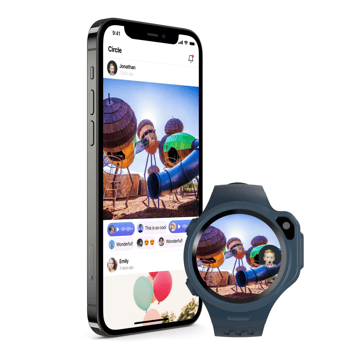

No More Follower Functions
Previously, as long as you have invited followers, they will be able to access your kid’s GPS location, while some parents feedbacked they would like someone to message their child but not track their child’s location. Now, there is a Contact List (Application Contact) and Approve Phone White List. Application Contact will be able to create VOIP call via data and video call as well as messaging and voice messages.
Location Sharing
GPS permission is separated from the integrated must-have function in the previous “Followers” feature. You can now individually select who to share GPS tracking.

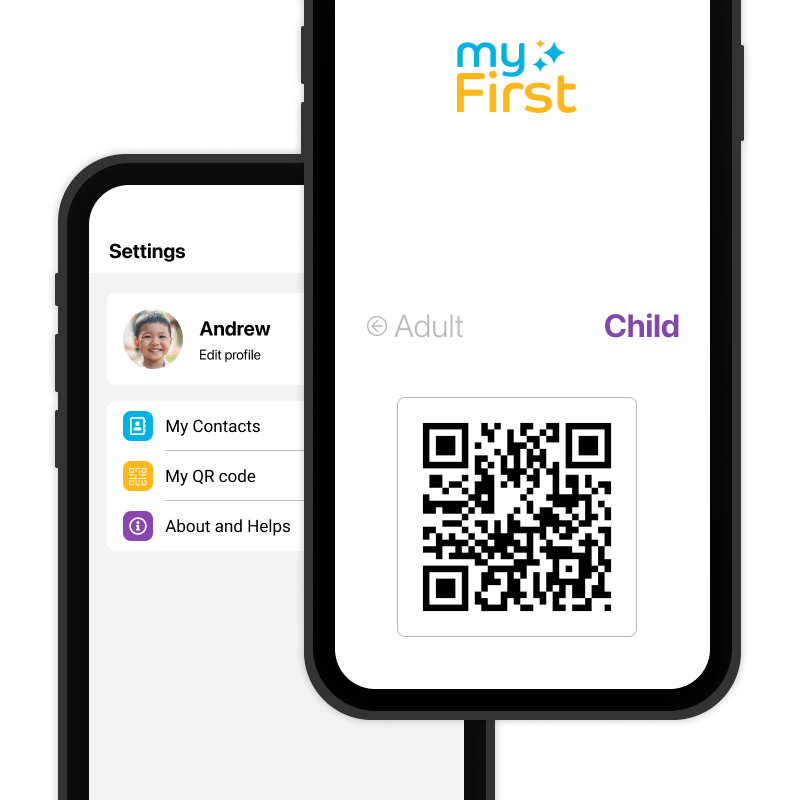
Additional Child Application
Now Child can stay connected with their friends who has smartphones from their myFirst Fone contact. Child who has smartphone can install the new myFirst Circle application and log in using their Child ID.
One Account for Two Devices
Child can log in to both myFirst Fone and myFirst Circle application installed on a smartphone by using the same account. Two devices can turn on concurrently and data will sync with each other.
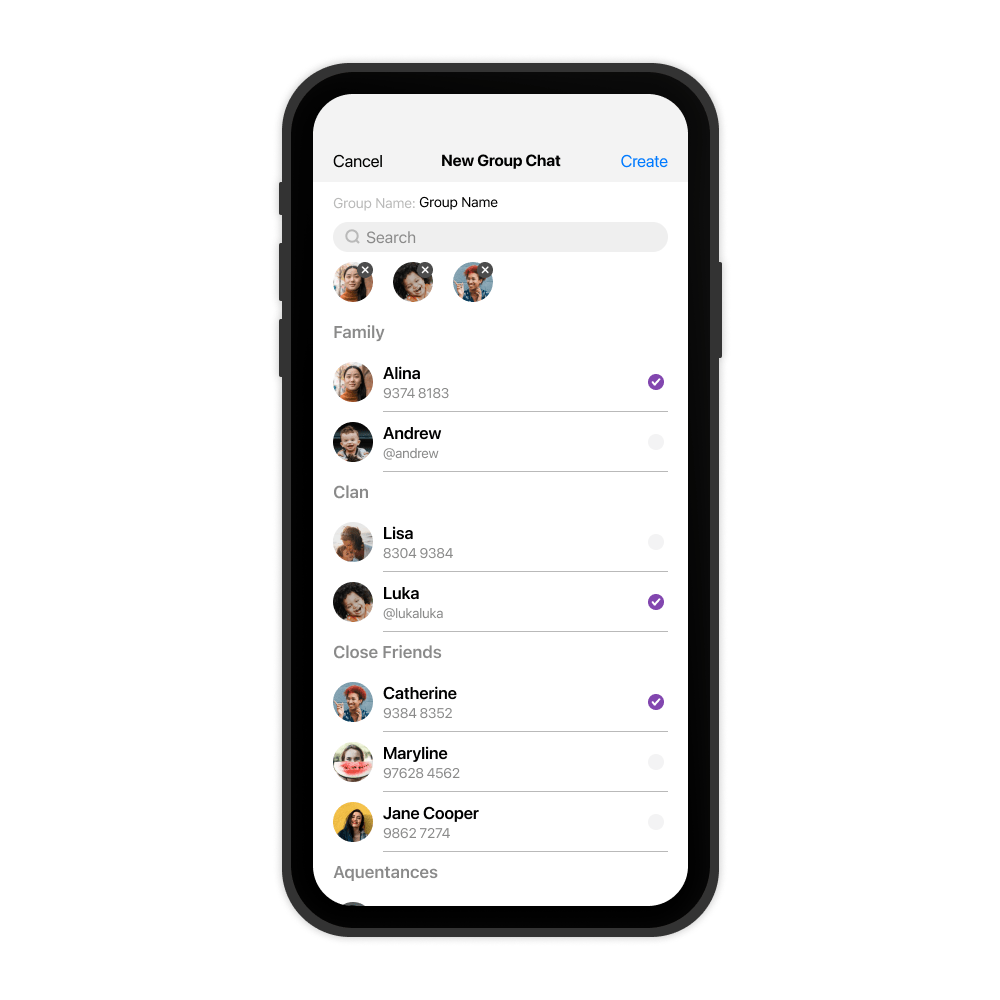
Group Chat Functions
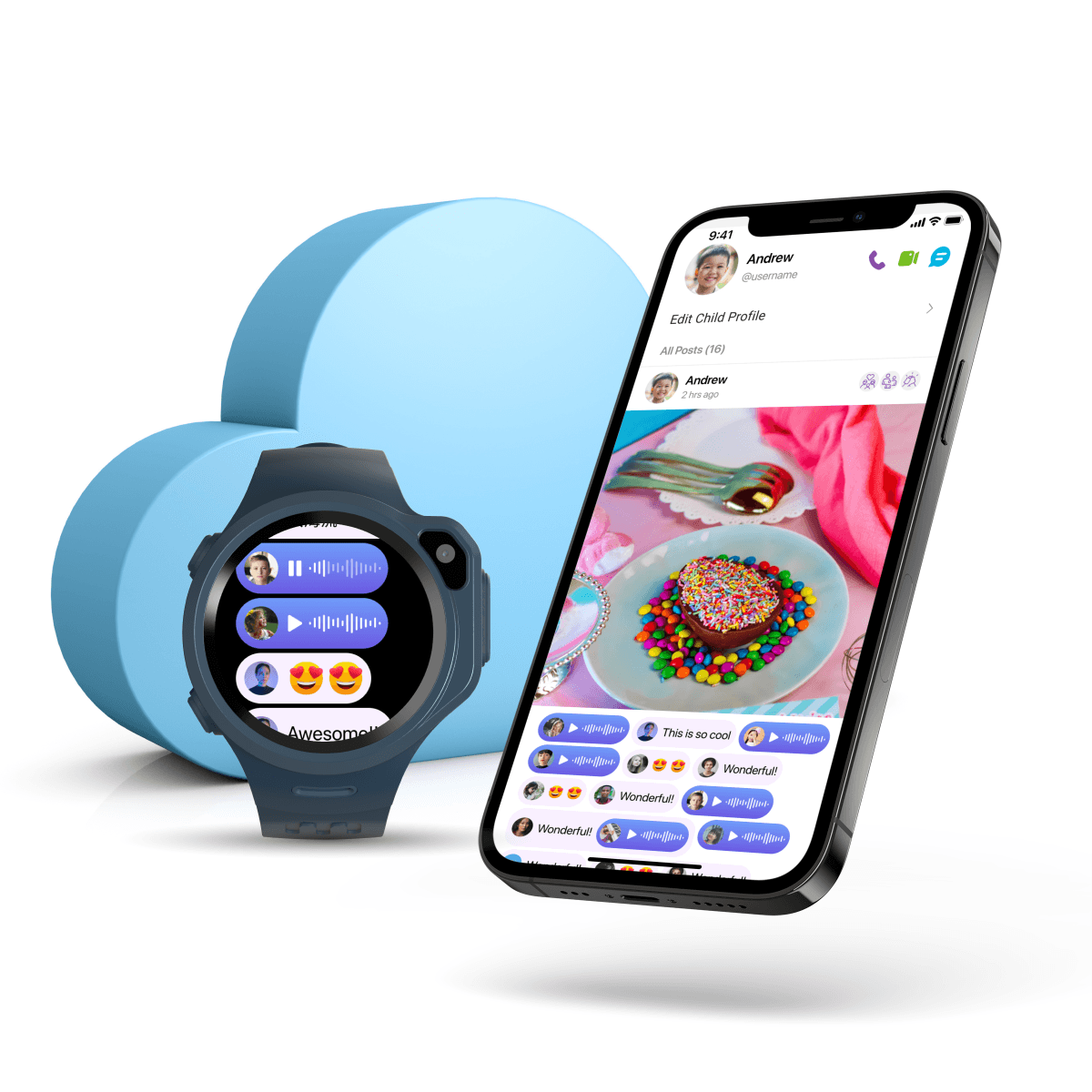
We know families love to chat. We have created the group chat function and now Parents can chat, voice call and video call with each other without leaving the app.
Data in the Cloud
All chat logs and information are kept in the cloud now. Therefore, after you switched to a new myFirst Fone and logged in with your existing Child ID, you will be able to access all your previous information and contact list.
Meet Momoji

Kids adore the added Giphy stickers in our app. Today, we’re taking the joy further by introducing an exciting new way to express yourself—Momoji. With Momoji, kids can charge it up and send it to their friends. It’s context-aware and offers haptic feedback for an immersive experience. Sending a Ducky Momoji will even flood the screen! Plus, enjoy a brand-new color scheme.
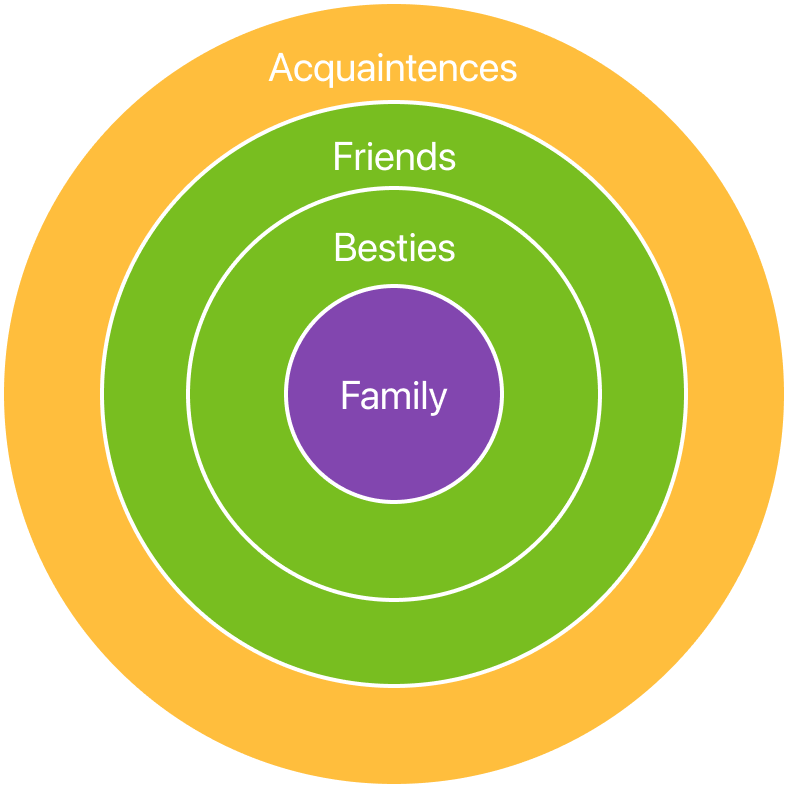
A new concept of Social Circle for kids, family and friends.
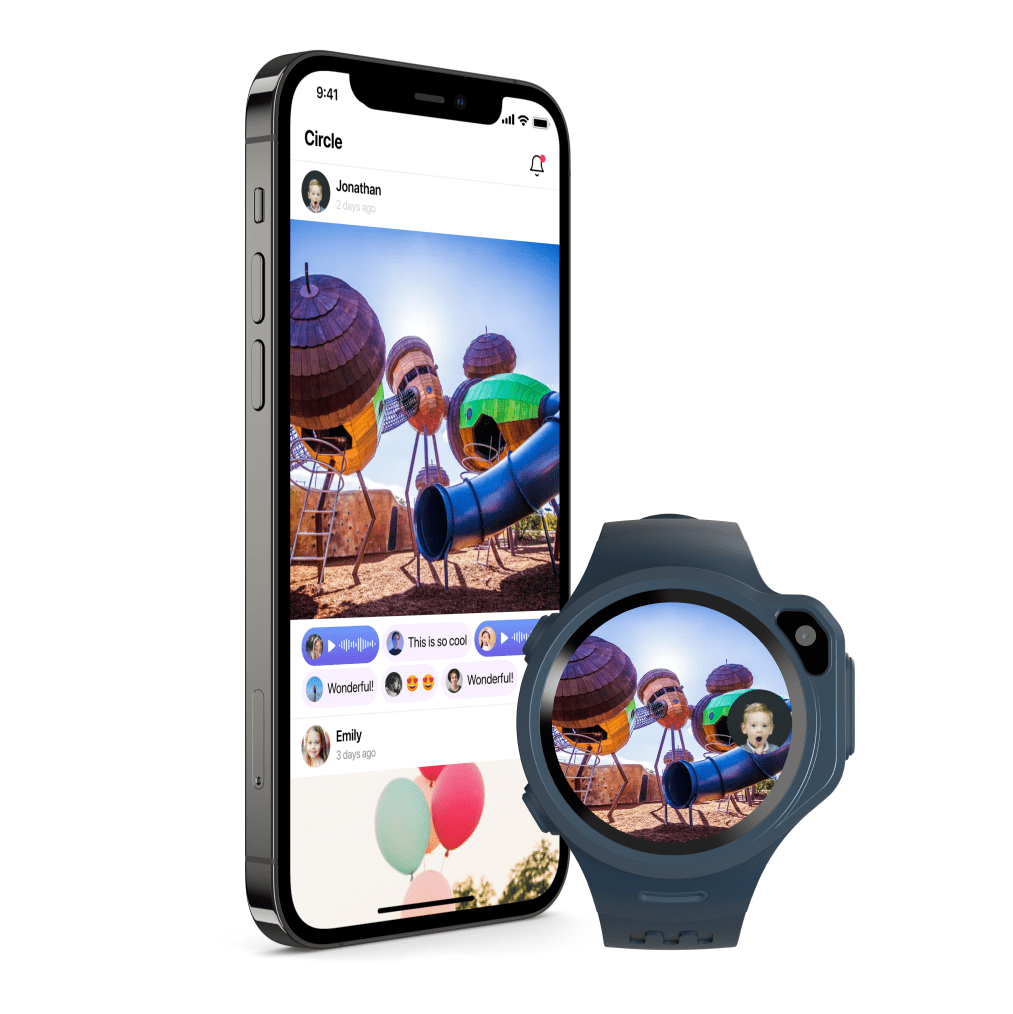
In the past, Child can only “Upload” photos in the timeline to their “Followers”. Now, they can post their photos in the new Child-Friendly Safe Social Circle.
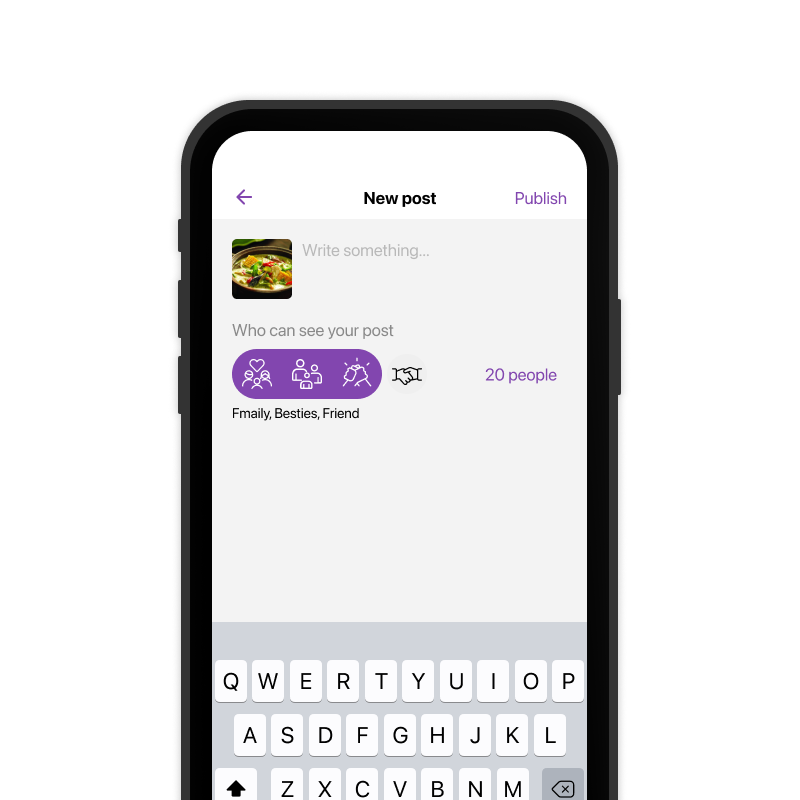
Who Can See Your Posts?
You can choose for each social post to be viewed by Family, Besties, Friends to Acquaintances. If a post is just among Family, only the people under your “Family” will be able to see it.
Who Can See Your Child's Posts?
Children can create social posts and leave a Voice Comment from myFirst Fone directly. Posts will be auto-set to Friends circle and can’t be seen by Acquaintances.
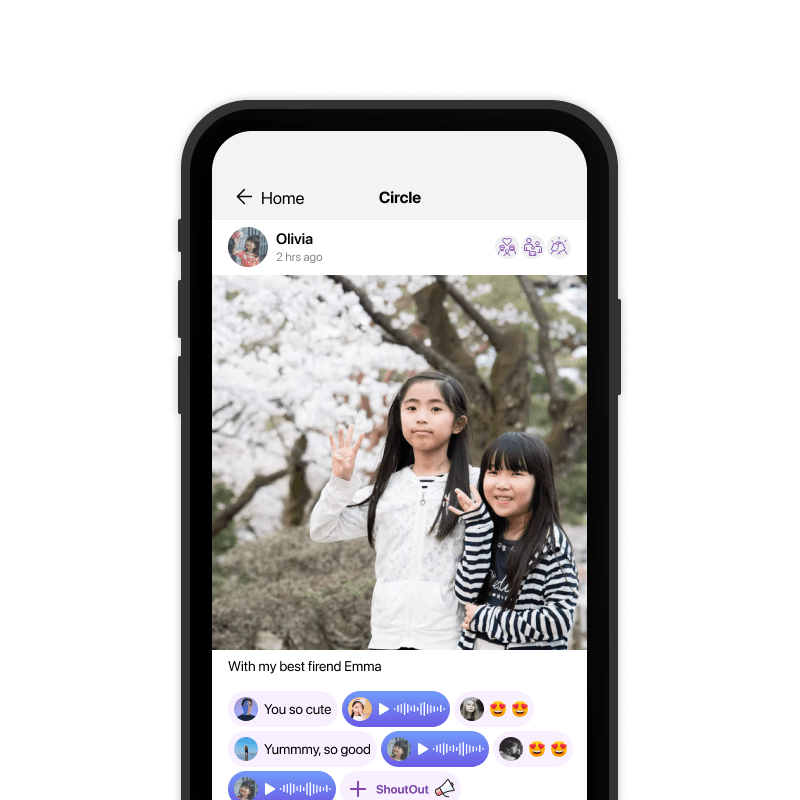

SharingWith Full Control
Admin has the rights to modify Child’s post if you think they are not appropriate. Admin can change the classification from Friend to Besties or Family.
Family Bubble
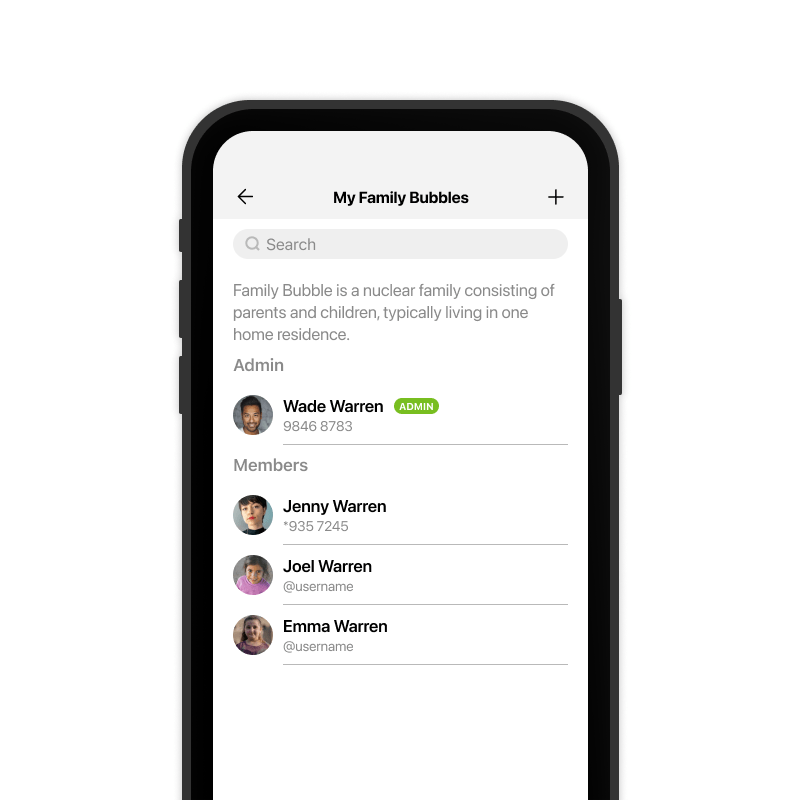
Each Child will be attached to an Admin to control their login activity. Each Adult can join others to create a Family Bubble. You can only join one Family Bubble.
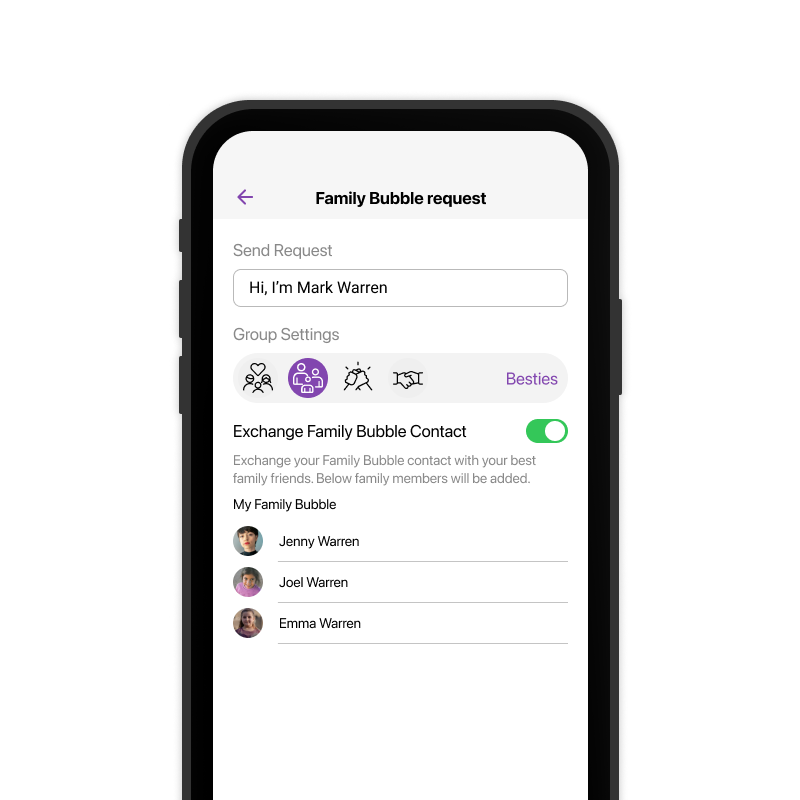
Exchange Family Bubble
If you are meeting another family, you can “exchange” Family Bubble contacts and the system will auto-exchange your family contact with them.
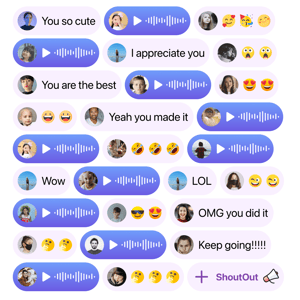
Combining the Comment, Reply, Reaction section into what we call "ShoutOut". Just like the "Thumbs Up" on Facebook or "Love" on Instagram, myFirst Circle has the "ShoutOut"!
We have thus created a 16-character Blurb Respond Capsule and an 8-second Voice Blurb Respond Capsule.
Our Plan
24-Month Plan
$30 /month /month
What is included:
- Device
- Unlimited Data
- Warranty and Damage Protection
12-Month Plan
$4040 /month /month
What is included:
- Device
- Unlimited Data
- Warranty and Damage Protection
24-Month Plan
12-Month Plan
Details
Lets get in touch!
Give your child more freedom, without compromising safety
Stay close. Stay safe. Stay worry-free. Try myFirst Fone Plus today — With a 30 day free trial.
As Seen On




.svg.png?width=2560&height=384&name=USA_Today_(2020-01-29).svg.png)